
Step 1 — Download Momentum
Open momentum-client.com and download the build for your platform. Run the installer (Windows / macOS) or extract the binary on Linux. Momentum is a desktop app — not browser-based — so you’ll find it in your normal application menu after installing.
Step 2 — Open the server settings
Launch Momentum and open Settings → Servers (or the cog icon in the toolbar, depending on your version). Click Add server.
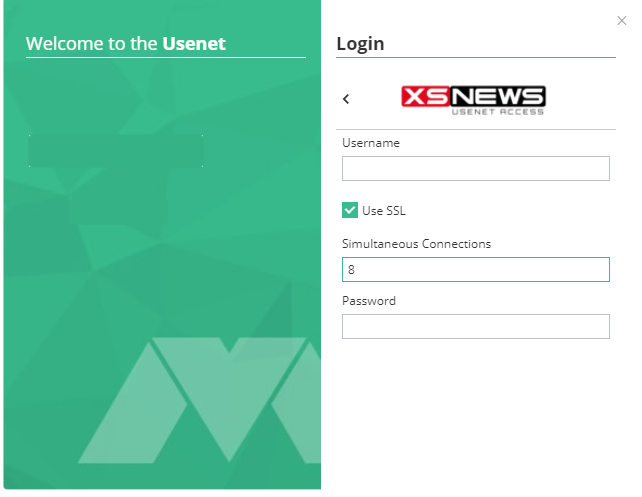
Step 3 — Fill in the server details
Enter reader.xsnews.nl as the host and 563 as the port. Tick the SSL/TLS option. Paste your username and password from the welcome e-mail. Set the maximum connection count to match your plan (e.g. 100 on Unlimited). Hit Save and Momentum will test the connection — a green indicator confirms it’s working.
Step 4 — Configure download folders
Under Settings → General (or similar), choose a folder for completed downloads. By default Momentum drops everything into its app folder; you probably want a dedicated Downloads/Usenet directory.
Step 5 — Search and download
Use the built-in search to find content. Pick a result and click Download — Momentum fetches all the parts in parallel from XS News, repairs anything broken (PAR2) and unpacks archives automatically.
You can also drag-and-drop external .nzb files onto Momentum’s window if you prefer using a third-party indexer.
Troubleshooting
- "Authentication failed" — copy & paste username and password from the welcome e-mail rather than typing them.
- Slow speed — raise the connection count in Settings → Servers up to your plan’s maximum. Confirm SSL is on and the port is 563.
- Search returns nothing — Momentum’s built-in indexers can have downtime; try a different category or add an external NZB.
- Downloads stop after a few files — some posts on Usenet are incomplete on every provider. Momentum uses PAR2 to repair them; make sure that option is enabled.
Still stuck? Contact support →
